
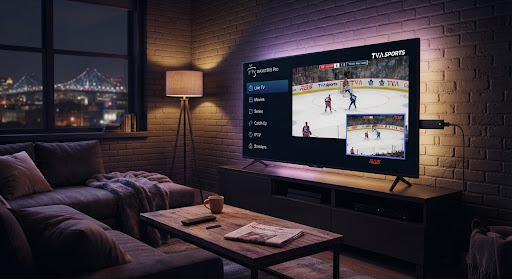
The Amazon Fire TV Stick is without question the number one media player in Quebec. Thanks to its powerful processor and flexible ecosystem, it turns any TV into a full HD and 4K streaming hub in under 5 minutes flat.
However, in 2026, with new restrictions from Quebec internet service providers (ISPs) such as Bell, Vidéotron, Cogeco and Telus, a single wrong DNS setting or a poorly configured player can cause annoying micro-cuts right in the middle of a Montreal Canadiens game. In this complete guide, we walk you step by step through the method certified by the IPTV Québec HD technical team to get smooth 60 frames-per-second playback.
What you need before starting
Before picking up your Amazon remote, make sure you have the following 3 essentials:
Amazon Firestick
Lite, HD, 4K or 4K Max model with a working voice remote.
25 Mbps+ connection
Stable speed recommended to play 4K UHD streams without stuttering.
IPTV credentials
Server URL, username and password provided by our service.
Install the “Downloader” tool and allow unknown sources
The Downloader app is an official utility on the Amazon Appstore that lets you download high-performance IPTV players not found in the standard store.
Download Downloader
Go to the Find > Search tab on your Fire TV. Type "Downloader", select the orange icon and click Get / Download.
Enable Developer Options
Go to Settings (gear icon) > My Fire TV > About. Click 7 times in a row on your device name until you see the message "No need, you are already a developer".
Allow Downloader
Go back to Developer Options > Install unknown apps > select Downloader and switch it to ON.
Quick access codes 2026
Open Downloader and type one of the following short codes in the address bar.
Configure the app with the Xtream Codes API
Once the app is installed, launch IPTV Smarters Pro or TiviMate. The Xtream Codes API is the protocol recommended by IPTV Québec HD because it automatically loads the TV guide (full Quebec EPG) and up-to-date movie posters.
Fill in the following fields on the add-account screen:
- Playlist name: IPTV Québec HD
- Username: received by email after ordering
- Password: received by email
- Server URL:
http://qc-stream.pro:8080(or the proxy address provided)
As soon as you click Add User, the app instantly syncs over 18,000 Quebec, Canadian, French and international channels plus the VOD catalog. Allow 30 to 60 seconds for the initial load depending on your speed.
Expert anti-buffering and DNS tips for Quebec
If you notice slowdowns during major sporting events (Super Bowl, NHL playoffs on RDS), apply these three technical optimizations right away:
Change your ISP DNS
Replace your router DNS with Cloudflare (1.1.1.1) or Google (8.8.8.8) to bypass packet filters.
Clear the cache
Firestick Settings > Applications > Manage installed applications > IPTV Smarters > Clear cache, once a month.
VLC hardware decoder
In the IPTV player settings, switch the internal decoder to Hardware Decoder (VLC or ExoPlayer) to relieve the stick CPU.
IPTV app comparison for Firestick
Here is our technical assessment based on over 1,000 tests run by our technicians in Quebec:
| App | TV Guide (EPG) | Catch-up | Zapping | Recommendation |
|---|---|---|---|---|
| TiviMate IPTV Pro | Excellent (NHL grid) | Up to 7 days | < 0.5 sec | Best 4K choice |
| IPTV Smarters Pro | Very complete | Yes (supported) | ~ 1.2 sec | 100% free |
| XCIPTV Player | Standard | Partial | ~ 1.8 sec | Beginner-friendly |
For the vast majority of Quebec households with a Fire TV Stick 4K or 4K Max, TiviMate remains our recommendation: its near-instant zapping and well-organized guide make all the difference on game nights.